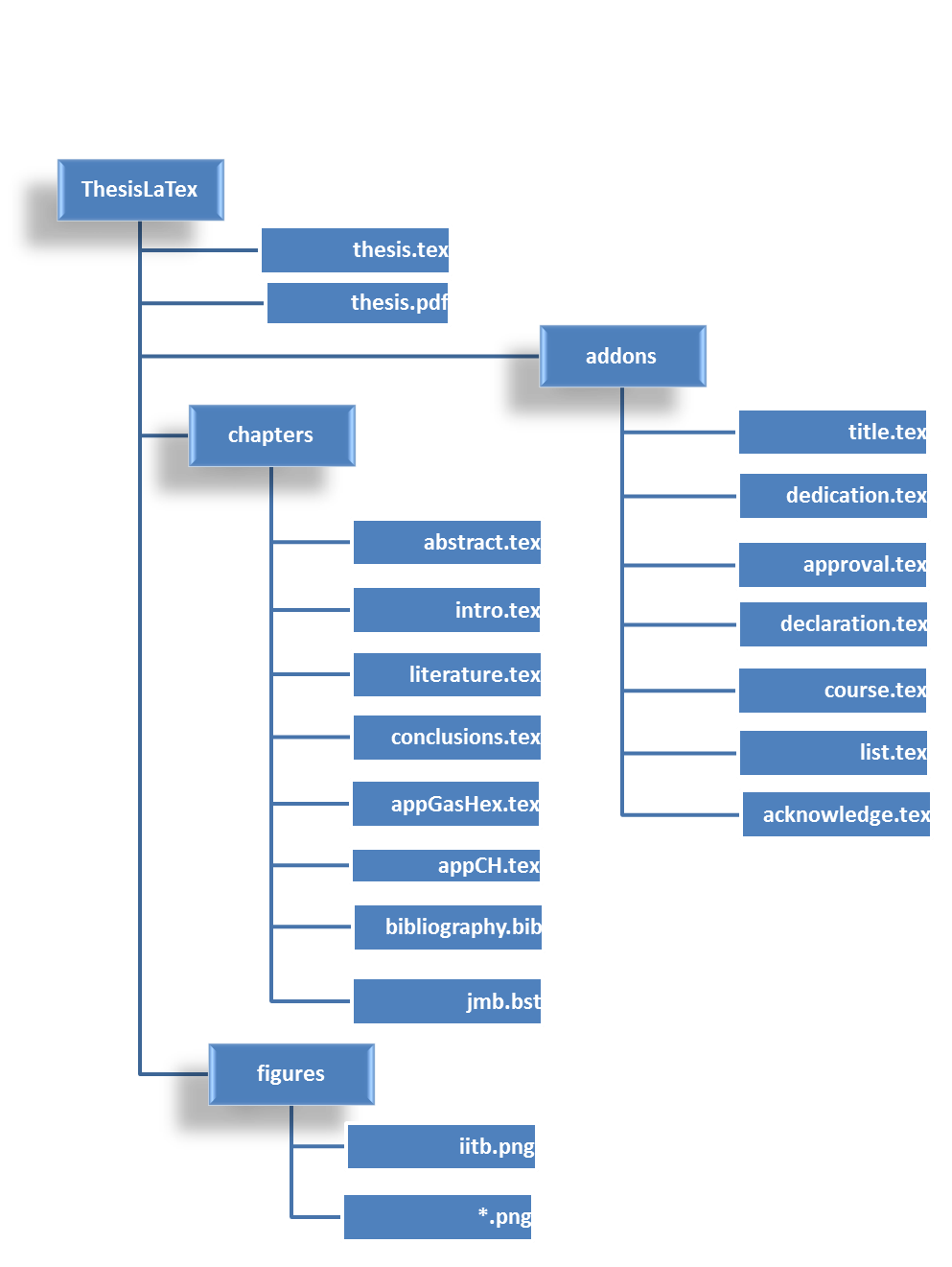
An overview of PhD Thesis template, LaTex Version
This is a user manual for using Thesis.tex file.
Link for Sample LaTex files http://www.iitp.ac.in/~sudheer/files/ThesisLaTex.zip
This manual in pdf format is also available at http://www.iitp.ac.in/~sudheer/files/ThesisLaTex.pdf
Please remember, though enough care is taken to make it brief and clear, this is not a manual ‘How to use LaTex’ for writing thesis. Probably you can start from here and complete your thesis. To get know more options in LaTex, you are advised to use google.com
I am not an expert either in LaTex or in writing thesis. Keep that in mind while you approach this manual. This is only to help you out and to kick start using LaTex for your thesis.
There are three fodders in thesis folder
addons
Formal pages like Title, dedication, coursework, acknowledgements are here
chapters
All your chapters including abstract, bibliography are here
figures
Keep all your figures in this folder. Look for a quick note of figures here.
% Any line that starts with symbol % would not be read in the program. All those lines are called comments. You can write anything after % symbol and that won't reflect in your output file.
For example, you can remove the NomenClature Section completely, by commenting the appropriate lines.
This is a Master File.
Whenever you run the LaTex code, you are running this file.
You don’t need to touch this file at all. Except for two lines
Hey! You can or leave it untouched
It doesn’t make any difference in your output file :-)
These two lines look similar with a difference of color BLACK and BLUE
The first line with BLUE, produces output with links in BLUE color. This is good only to read on screen but not to take printout.
While taking printout, comment the line with BLUE and uncomment (remove symbol %) on the second line. It produces all links in the document in BLACK.
wanna modify the look?
do at the end of the writing your full thesis
For more details of each line, please go through each line, comments & Internet
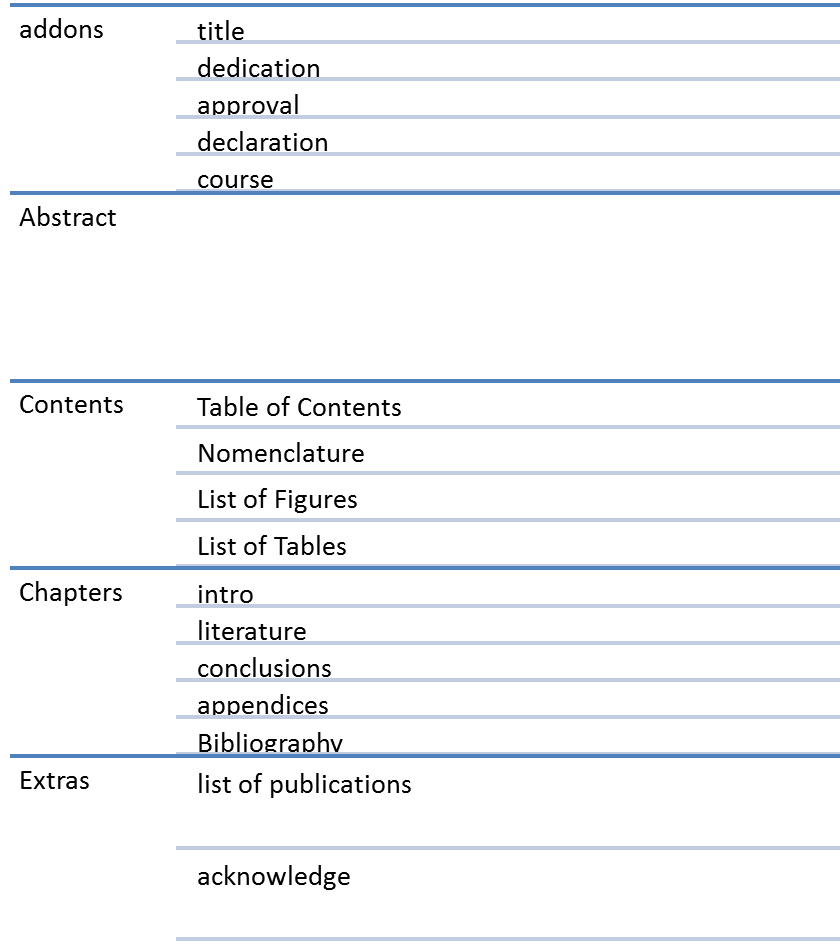
This file manages: What should come & the order of each chapter
|
Result |
Command |
|
Chun et al. (1990) |
\citet{chun1990} |
|
(Chun et al., 1990) |
\citep{chun1990} |
|
Fig. 1.2 |
\cref{fig:Graph} |
|
Figure 1.3 |
\Cref{fig:Sketch} |
|
Table 1.1 |
\cref{tab:Results} |
\nomenclature[a]{$a$}{The number of angles per unit area}%
\nomenclature[g]{$\alpha$}{Absorptivity}%
\nomenclature[s]{i}{Initial}%
\nomenclature[t]{$IND$}{INDIA}%
The value in the square brackets represents
[a] – Regular variable
[g] – Greek variable
[s] – Subscripts
[t] – Acronyms or Abbreviations
Run thesis.tex and then, use the following Command:
makeindex Thesis.nlo -s C:\Academic\Thesis\nomencl.ist -o Thesis.nls
C:\Academic\Thesis\nomencl.ist should be the actual path